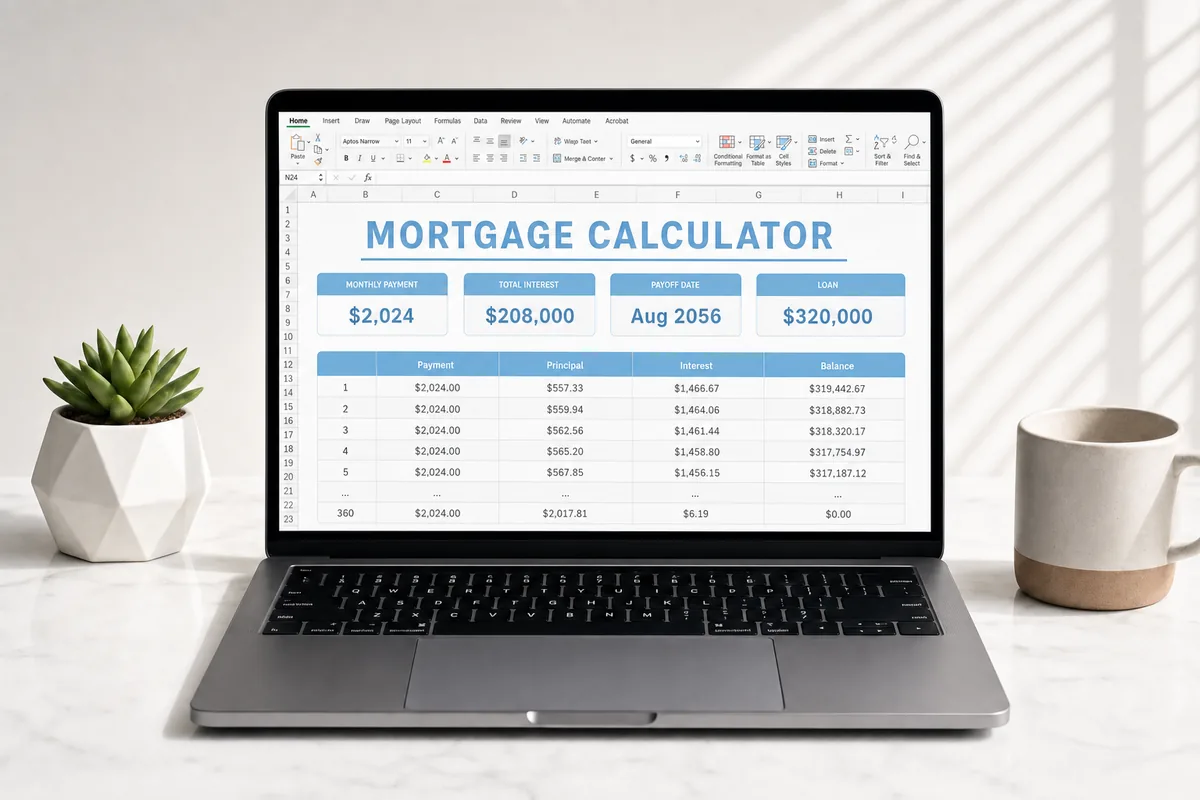
A mortgage calculator that only prints one monthly payment is hiding the part that matters. An amortization schedule shows every month: how much of that payment is interest, how much actually pays down the loan, and what you still owe afterward.
That split changes. In the early years most of the payment is interest. Later, more of it becomes principal. If you have ever wondered why the balance barely moves after a year of on-time payments, the schedule is the explanation.
What you need before you start
Pull the numbers from your statement or your loan estimate. Do not guess them from memory.
- Loan amount (what you still owe, or the amount you plan to borrow)
- Interest rate
- Term, in years
- Property taxes, insurance, and HOA, if you want a full monthly housing number and not just principal and interest
Principal and interest is the loan itself. PITI adds taxes, insurance, and other housing costs on top. Both are useful. They answer different questions.
Why extra payments change the date, not just the balance
Anything you pay above the required principal and interest comes off the balance. Next month’s interest is calculated on a smaller number, so more of every later payment goes to principal. That is why a modest extra amount can knock months or years off a 30-year loan.
Three common ways people do it:
- A flat extra amount each month, on top of the regular payment.
- Biweekly or weekly payments. Paying half of the monthly principal and interest every two weeks lands 26 half-payments a year, which is one full extra payment.
- A one-time lump sum — a bonus, a tax refund, a gift — applied to a specific month.
Your servicer may have its own rules for how extra money is applied. Check the statement. A spreadsheet can show the math. It cannot see a prepayment penalty or a servicer that parked the extra in a suspense account.
What the CG Bots Mortgage Calculator lays out
The workbook is built for that month-by-month view, up to 480 payments (a 40-year term). On Loan Inputs you enter the loan, then optional extras:
- Payment frequency: monthly, biweekly, or weekly
- A principal-and-interest override, for the month your statement does not match a plain formula
- Up to five one-time lump sums, tied to a payment number
- A per-month extra column on the amortization sheet, when one month is different from the rest
The Dashboard shows principal and interest, taxes, insurance, HOA, and total PITI. A Refinance Compare tab estimates whether a new rate is worth the closing costs, as a break-even — not as a recommendation.
Run your numbers, then line the first few rows up against your latest statement. If they disagree, trust the statement and adjust the inputs.
See the full schedule for your loan
Mortgage Calculator is $19. Code LAUNCHCGB50 takes 50% off at checkout.
Get the Mortgage CalculatorA note on advice
This is a planning spreadsheet. It is not a lender, and it is not financial advice. Confirm every figure against your loan documents before you send extra money or start a refinance.
— CG Bots