FINANCE · EXCEL + GOOGLE SHEETS

See your debt-free month

A debt payoff calculator spreadsheet that compares Snowball vs Avalanche with your numbers — then does the math so you don't have to.

The month is the 1st, counted from today. Interest is not rounded to the penny — confirm it against your statements.

$12
one-time · instant download

Use code LAUNCHCGB50 for 50% off at checkout.

Two debts is enough to start? Get the free Debt Payoff sheet. It uses the same methods and stops at two.
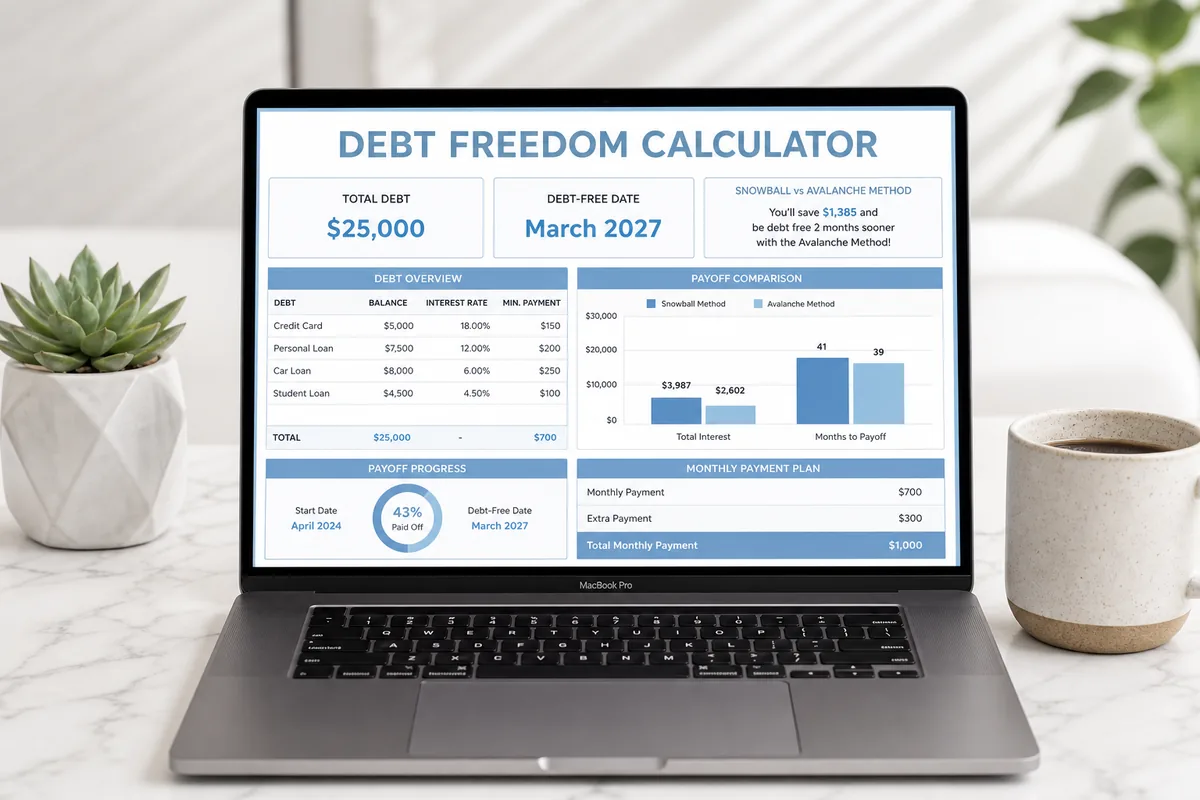
Debt Freedom Calculator spreadsheet showing a debt-free date and Snowball vs Avalanche comparison

Why this calculator

📅

Your debt-free date

Enter balances, rates, and minimums. The dashboard shows when each method gets you free.

⚖️

Both methods, one file

Snowball and Avalanche run from the same debts so you can pick the plan you'll actually finish.

📊

Excel & Google Sheets

Download once. Open in Excel or upload to Google Sheets. Protected formulas you can't accidentally break.

What's inside the spreadsheet

Five tabs. Yellow cells are yours. Everything else calculates.

Dashboard

Your totals, an extra-payment box, and a side-by-side Snowball vs Avalanche comparison. The debt-free month comes from a real month-by-month payoff. It is the 1st of that month, counted from today, and interest is not rounded to the penny.

Debt Input

Track up to 10 debts — name, type, balance, interest rate, and minimum payment. Credit cards, loans, medical bills, all of it.

Snowball

Smallest balance first. Quick wins, then roll that payment to the next debt until you're done.

Avalanche

Highest interest first. The mathematically cheaper path, with months-to-free and total interest spelled out.

Plus an Instructions tab so you never wonder which cell to fill in.

How it works

1️⃣

Download

Buy once. Open the Excel file or upload it to Google Sheets.

2️⃣

Enter your debts

Fill the yellow cells on Debt Input — balance, rate, minimum.

3️⃣

Pick a method

Compare both plans on the Dashboard and start the one you'll stick with.

Snowball vs Avalanche

Same debts. Two payoff orders. The spreadsheet shows both so you can choose.

Factor Snowball Avalanche
Order of payoff Smallest balance first Highest interest first
Total interest Usually more Usually less
First win Faster Sometimes slower
Best if you Need motivation Want the cheapest path

Still deciding? Read the full Snowball vs Avalanche guide.

Built for real debts

  • Credit card balances
  • Student loans
  • Car loans
  • Personal loans
  • Medical bills
  • Any mix of up to 10 debts

Questions

Does this work in Excel and Google Sheets?

Yes. It's an .xlsx file. Open it in Microsoft Excel, or upload it to Google Drive and open it in Google Sheets. The formulas work in both.

What's the difference between Snowball and Avalanche?

Snowball attacks the smallest balance first. Avalanche attacks the highest interest rate first. This calculator runs both from the same input so you can see the date and the interest for each.

How many debts can I enter?

Up to 10. That's enough for a typical mix of cards and loans without turning the sheet into a mess.

When do I get the file?

Right after you pay. Stripe sends you to a download page. You keep the file — no subscription.

Will I break the formulas?

Calculated cells are locked. You type in the yellow input cells. Instructions are on the last tab.

How exact is the debt-free date?

The spreadsheet shows the 1st of a month, counted from today. Interest is not rounded to the penny, and the month moves forward as today changes. Confirm the result against your statements before you change how you pay.

Is this financial advice?

No. CG Bots LLC is not a financial advisor, and this calculator is not financial, tax, or legal advice. The dates and interest totals are estimates from the numbers you enter. Confirm them against your statements before you change how you pay.

Ready to see your debt-free month?

$12 · instant download · use LAUNCHCGB50 for 50% off

Buy the Calculator